
A browser for the Mac
The browser that reads with you.
Coherence is a fast, native Mac browser with a reading companion built in. Read with focus, capture anything, ask about what you’re reading, make any page interactive, and keep it all in a knowledge base that grows with you.
Free·macOS 14 Sonoma or later·Apple silicon · 21 MB
You read all day: essays, papers, threads, transcripts. Then a tab closes, and the thought you meant to keep goes with it.
Coherence is a browser built around reading. It clears the page, keeps your marks, answers your questions and holds on to what matters, and it does everything else you’d expect of a good Mac browser, too.
Contents
Eight short chapters, most with a scene from the launch film.
Read
Read with focus.
Reader and Clarity clear an article down to its words, in your theme, your font, your size. Focus lifts a passage, a post or a video out of a busy page into a calm frame of its own.
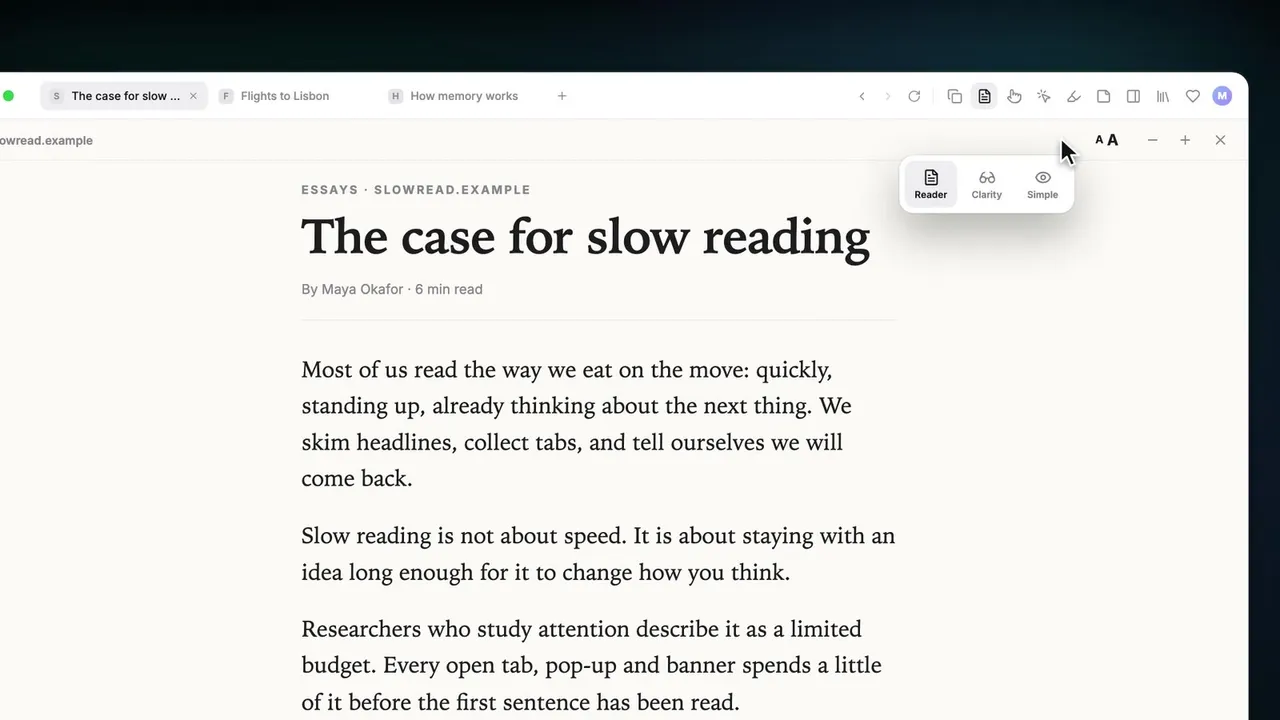
- Reader and Clarity
- Reader shows the article alone; Clarity keeps the page’s own look without the clutter. Both open at once, from the page already loaded. ⇧⌘R
- Focus frames
- Bring a passage into an immersive frame, over a background you choose. Annotate as you go, let Illuminate unpack it, or ask an optional AI persona for another view.
- YouTube, as text
- A captioned video reads as its timestamped transcript beside the player, and every timestamp jumps the video to that moment.
Mark
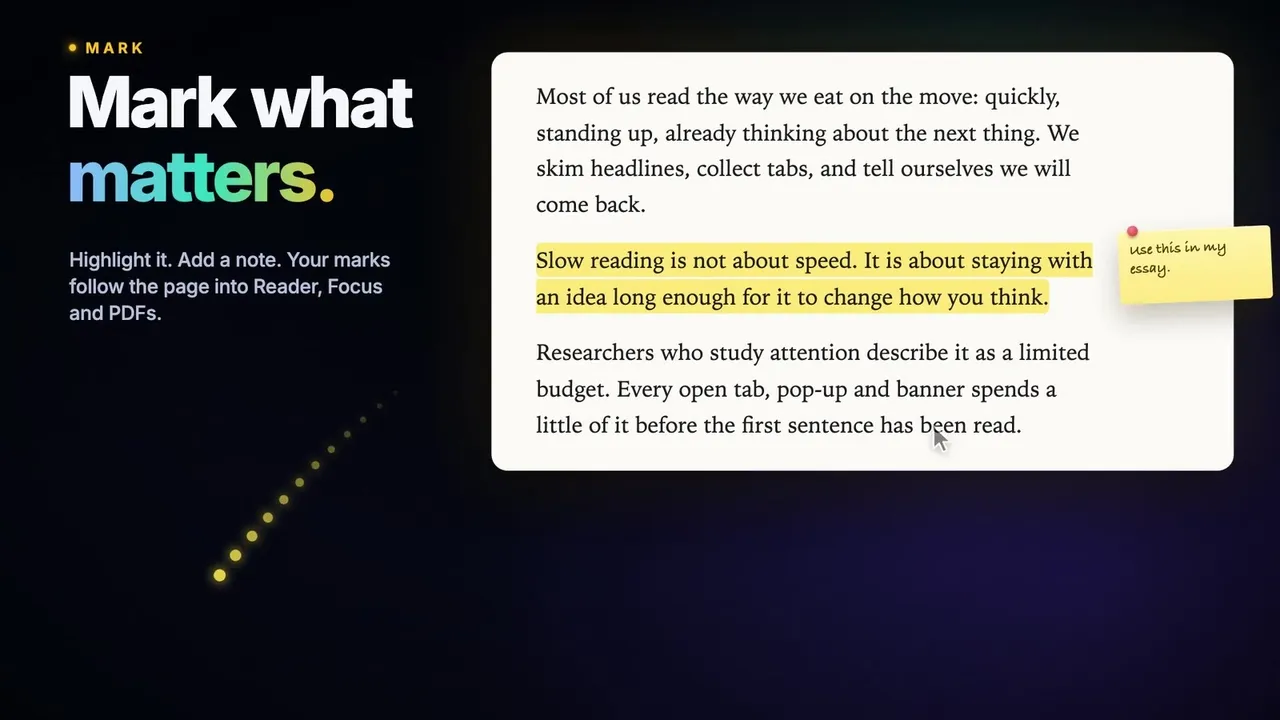
Mark what matters. It stays where you put it.
Highlight a passage and pin a note beside it. Your marks follow the page into Reader, Clarity, Focus and the PDF viewer, and they’re waiting when you come back.
- Selection that knows the web
- Select understands posts on X, Reddit, Threads and YouTube, so you take the post, not the page around it.
- Auto-highlight
- Tell the AI what you care about, claims, terms or evidence, and it marks a first pass for you to keep, change or clear.
- Saved on this page
- A tray in the toolbar counts what you’ve kept on the page you’re reading and takes you straight back to each highlight, note or drawing.
Ask
A new way of reading, with AI.
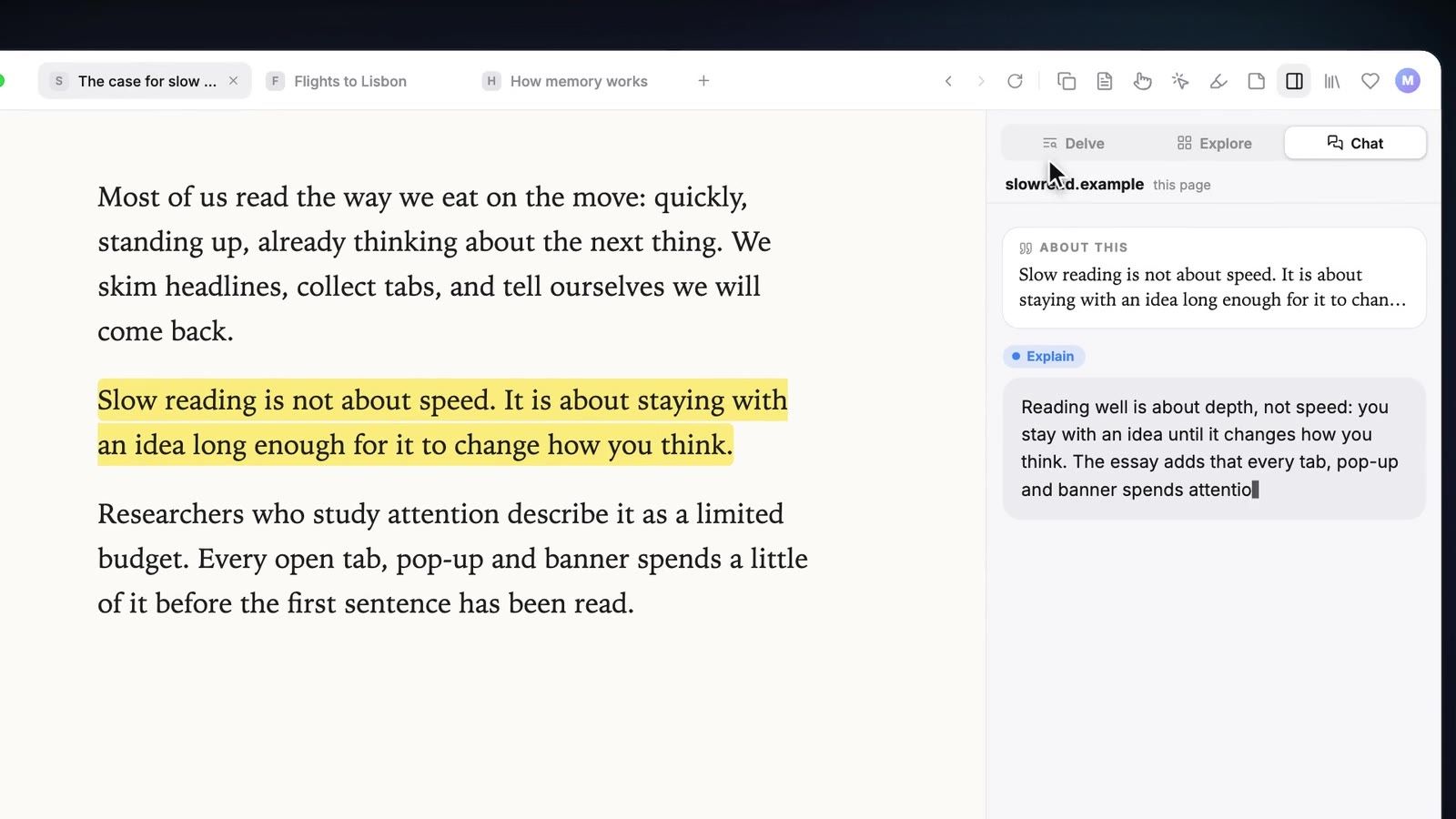
Select a sentence and look at it through a Lens: Explain, Skeptic, Evidence, Context. Or open the panel beside the page to Chat about what you’re reading, Delve into one idea and Explore where it leads.
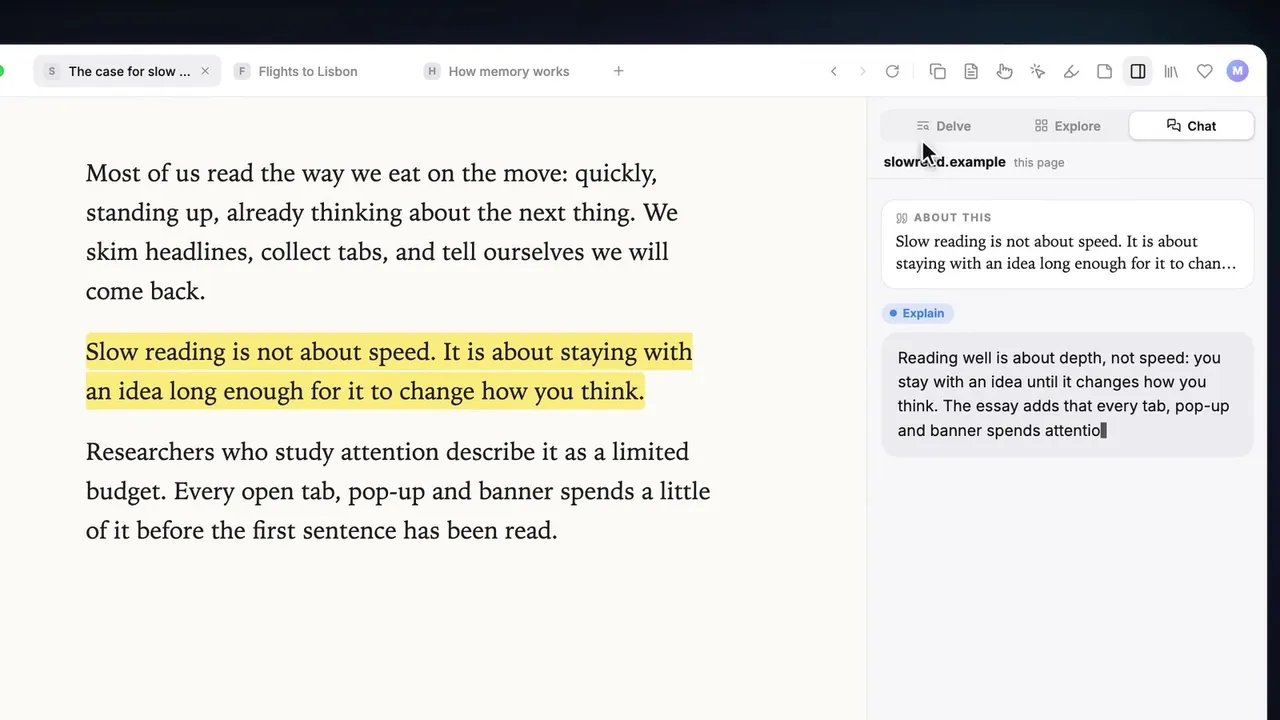
- Lenses
- Quick ways to look at exactly what you selected, each asking it a sharper question. Choose how they’re laid out in Settings › AI.
- Chat, Delve, Explore
- Chat answers questions about the page in view. Delve digs into one idea. Explore finds what connects to it. Notes keep your own thinking in the same panel.
- AI Enhance
- In Reader, bring up key terms, skimming cues, a contents view, summaries and questions, at the depth you like.
One way of reading, on every page and every PDF.
Select, highlight, take notes, look through a Lens, ask and save: it all works the same on a web page, in Reader, on a YouTube transcript and in a PDF. Learn it once, and use it everywhere you read.
PDFs
Every PDF, understood.
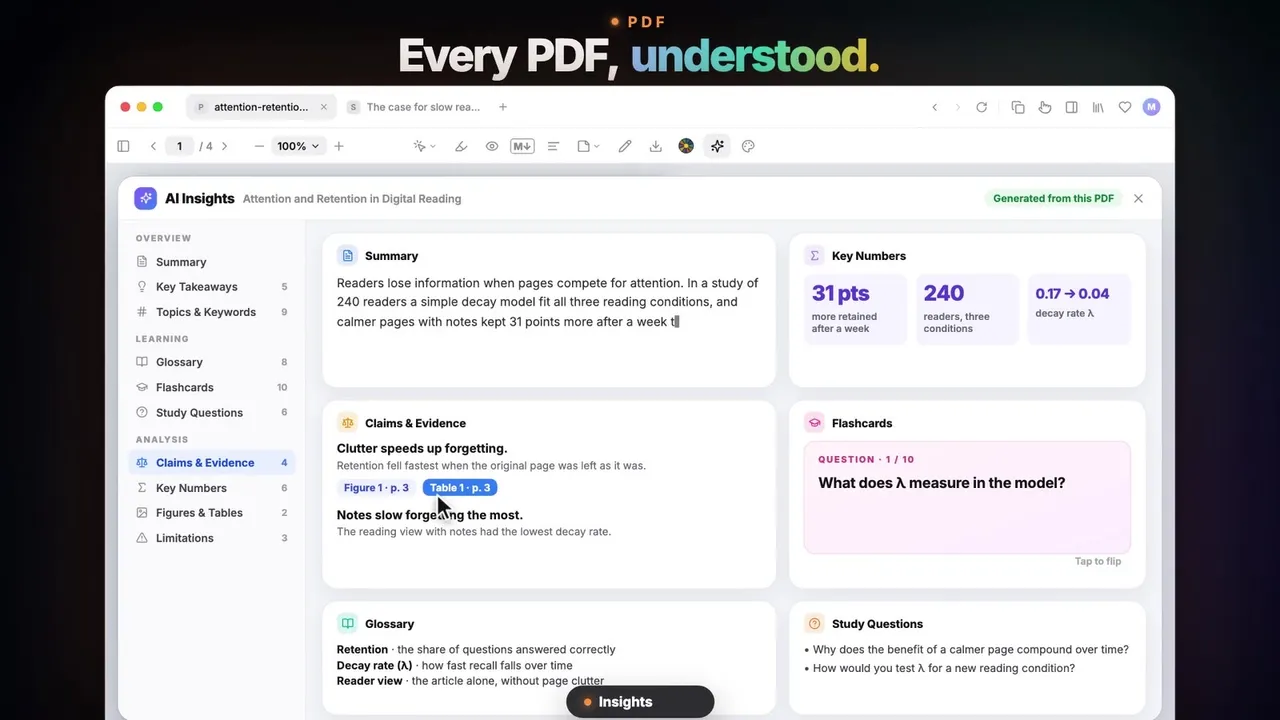
PDFs open in Coherence’s own viewer. It reads a paper the way you do, titles, figures, tables and equations, and turns it into clean Markdown and Insights you can check against the source.
- Elements
- Layout analysis outlines every title, paragraph, figure, table and equation on the page.
- Markdown
- The whole document as clean, selectable Markdown, with its figures and equations in place.
- Insights
- A summary, key numbers, claims and evidence, a glossary, flashcards and study questions, each pointing back to the passage it came from.
Learn
Make anything interactive.
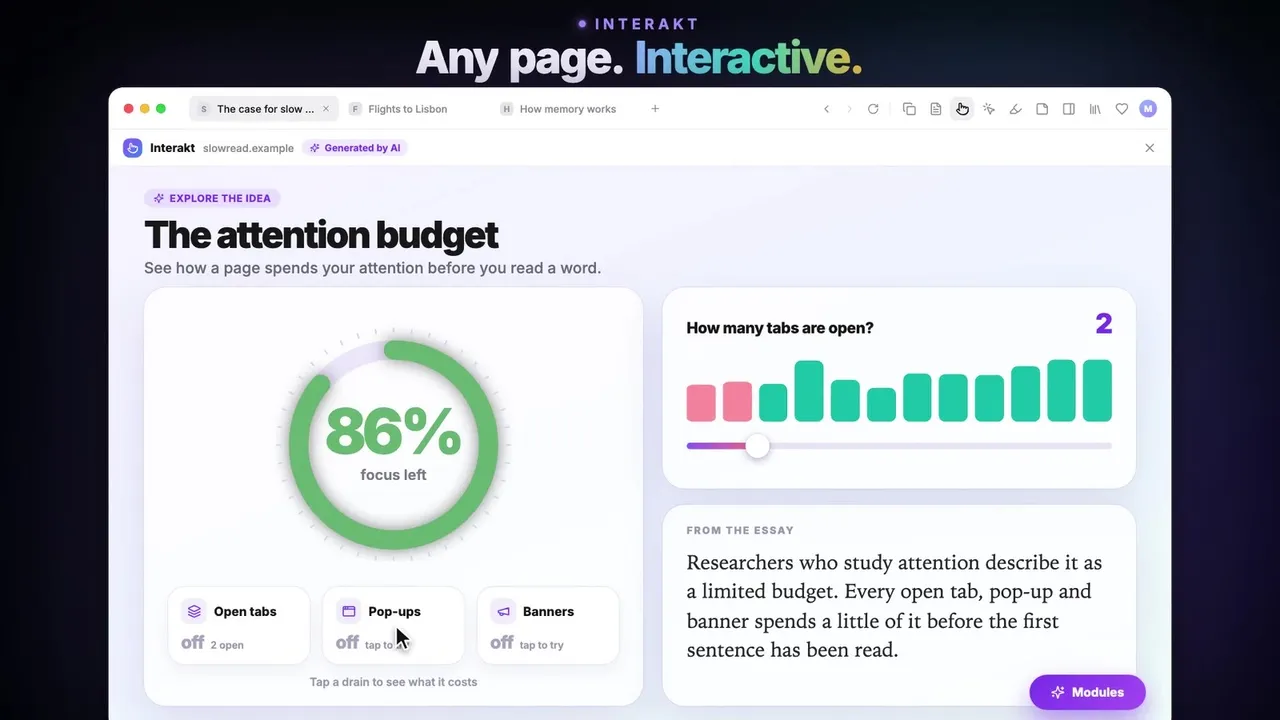
Interakt turns an article or a PDF into an interactive overview built from what it says: something to drag, switch and try. Then choose how to go deeper.
- Built from the source
- Every control, chart and question comes from the page you’re reading, and quotes it where it matters.
- Learning modules
- A deck, a simulation, a quiz or flashcards, made from the same source whenever you ask for one.
- Papers, too
- On a PDF, change a variable and watch the result move: the paper’s own numbers, made playable.
Keep
Capture anything. Watch your knowledge grow.
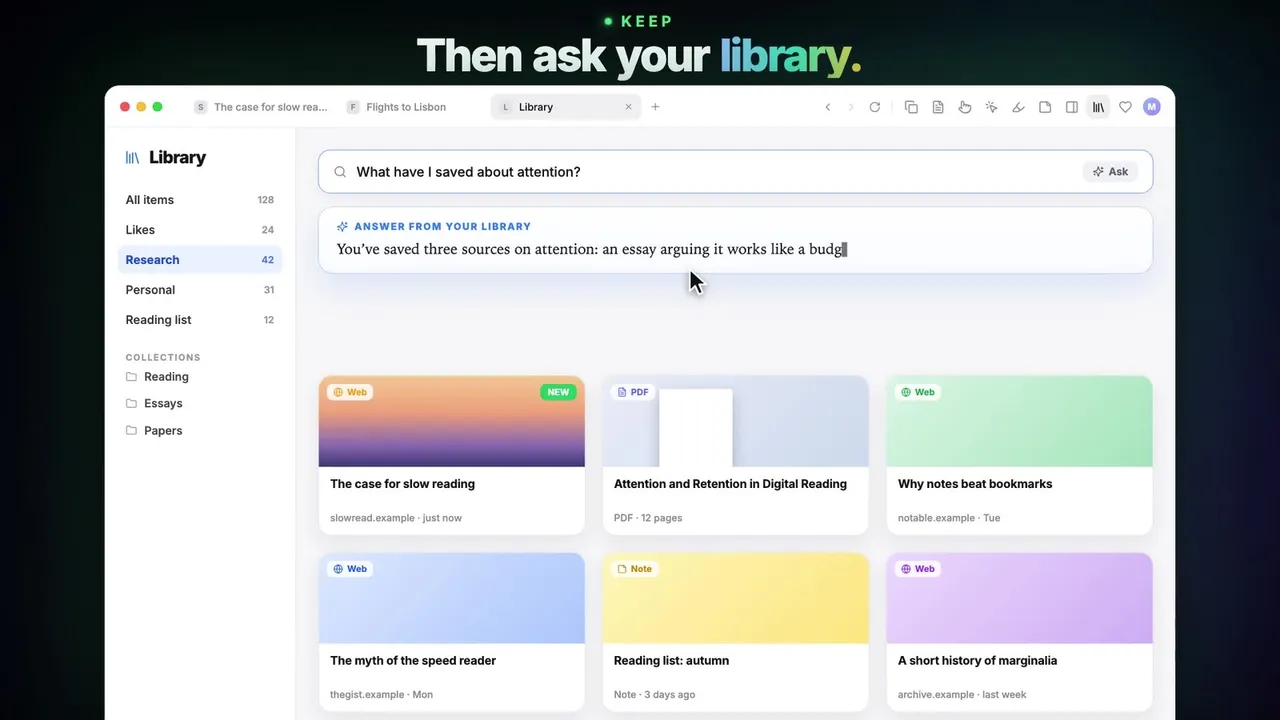
Save a page, a PDF, a post, a picture or one paragraph, with your highlights and notes. Everything you keep becomes a knowledge base you can search by meaning and ask, with answers that link back to their sources.
- Collector’s mode
- Save buttons right on supported social feeds and image search, so a good post or picture is one click from your library.
- Elements
- Coherence recognises the parts of a page or a PDF, so you can keep just the paragraph, table or figure that matters.
- A knowledge base that grows with you
- Spaces, collections and tags around what you’re working on. Search by meaning, follow related items, and ask across everything you’ve kept.
The Mac
Built for the Mac, not ported to it.
Coherence is a native app, made with SwiftUI on WebKit, the engine inside Safari. No Chromium, no Electron: it opens quickly, scrolls smoothly and sits easily beside everything else on your Mac.
- Dark pages
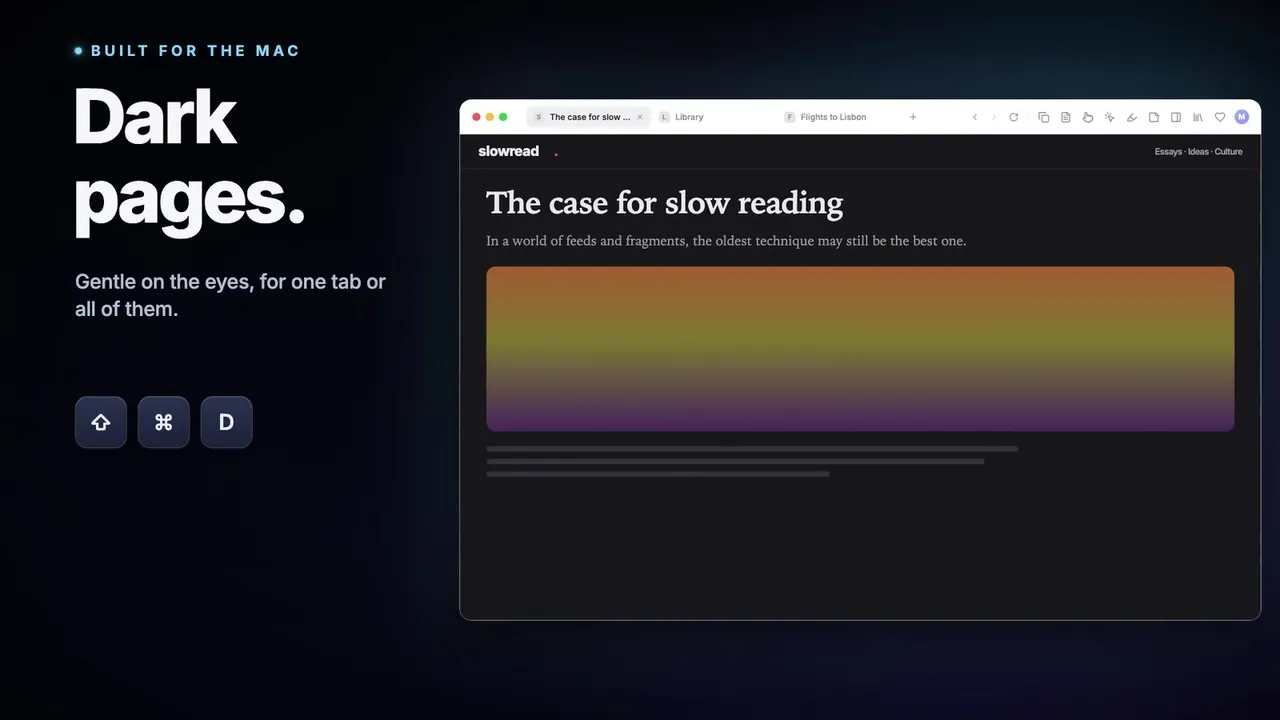
- Every website in dark, gentle on the eyes, for one tab or for all of them.
- Split View
- Two tabs side by side. Drag a tab to the edge of a page, or press ⌥⌘N.
- Command palette
- ⌘K finds tabs, bookmarks, history and every command and setting, and searches your library too.
- All Tabs
- Every open tab at a glance, laid out over the page.
- Pages at 120 Hz
- Smoother scrolling and animation on displays that can, when you want it.
- Passwords in your keychain
- Saved and filled by your Mac’s keychain, and brought over from another browser.
And the rest
Batteries included.
Everything else a browser you live in should do. Most of it is on from the start, and all of it is in Settings.
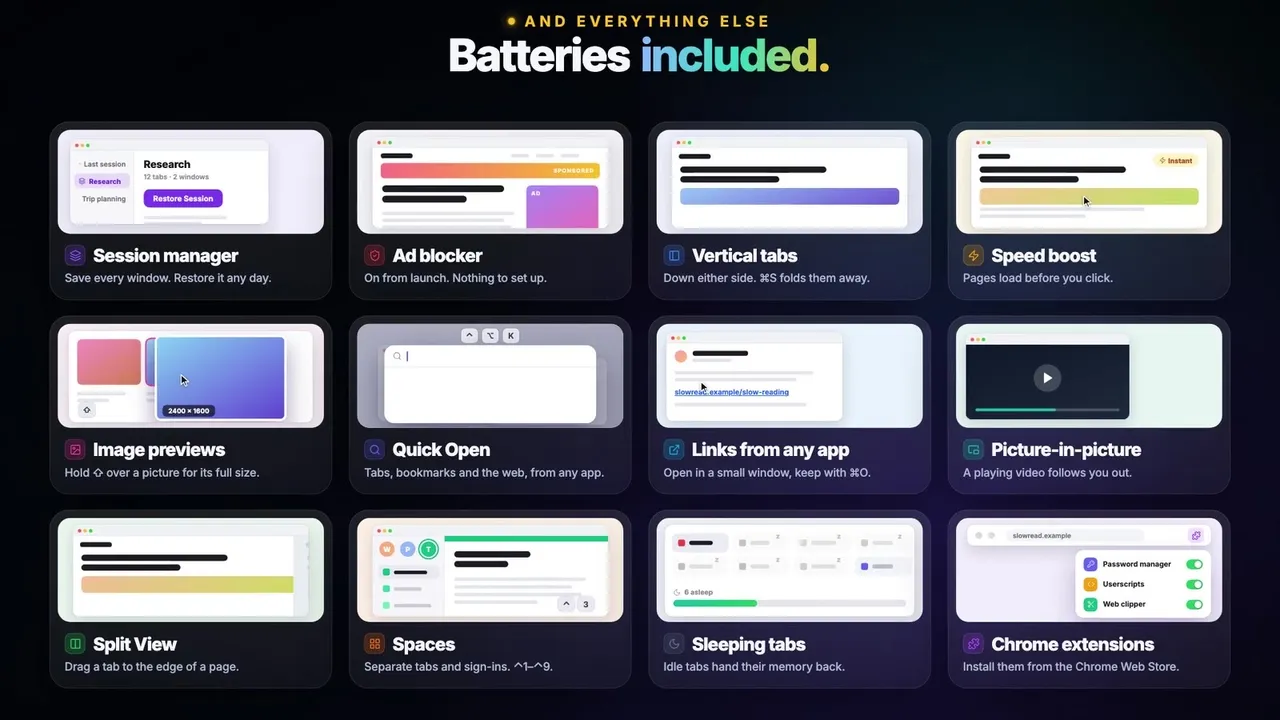
- Session manager
- Name and save every window’s tabs, and bring them back any day. The last session is always kept.
- Ad blocker
- On from launch, nothing to set up. Blocked inside WebKit, before the request is even made.
- Vertical tabs
- Down either side of the window, or folded away until the pointer reaches the edge. ⇧⌘S
- Speed boost
- The pages you’re about to open load before you click.
- Image previews
- Hold ⇧ over a picture to see it at full size.
- Quick Open
- From any app, a shortcut of your choosing brings up your tabs, bookmarks and the web.
- Links from other apps
- Open in a small window, to read and close, or to keep.
- Picture in picture
- A playing video follows you out into a small window when you switch apps.
- Spaces
- Separate sets of tabs, each with its own sign-ins. ⌃1 to ⌃9
- Sleeping tabs
- Tabs you aren’t using give their memory back.
- Chrome extensions
- Install them straight from the Chrome Web Store. Needs macOS 15.4 or later.
- Tracking protection
- Tracking stripped from links, pings blocked, cross-site tracking prevented.
- Tab groups
- Named sections of tabs. Right-click a tab to start one.
- Search a site
- Type the start of its name, press Tab, and search Reddit, YouTube or any site you use.
- Keys without ⌘
- Give any command a key of its own, Vim-style: gt, gg, yy.
- Bring things over
- Bookmarks, history, passwords and extensions from another browser on this Mac.
- Addresses as written
- Arabic, Chinese and accented addresses read in their own letters, not as %-codes.
- Videos wait for a click
- Nothing starts playing by itself, even without sound.
Free, with a library behind it.
Coherence is free to download and use. Sign in with a free Coherence account to save to your library, keep your marks in sync and use the AI tools; the same library opens on the web, in the Chrome extension and in the Coherence Base app. Paid plans raise the limits.
Updates that wait for you.
Coherence looks for a new version every hour, checks that it’s signed with our Apple Developer ID, and has it ready the next time you open the app. It never restarts while you’re reading.
Private where it counts.
Ads and trackers are blocked before they load, and passwords stay in your Mac’s keychain. This website’s optional Google measurement follows your region and privacy choices; its separate aggregate download counts don’t record who you are. More on privacy.
Questions
Which Macs does Coherence run on?
Macs with Apple silicon, M1 or later, running macOS 14 Sonoma or later. Chrome extensions need macOS 15.4 or later.
Is it free?
Yes. The browser is free. The library and AI tools come with a free Coherence account, and paid plans raise the limits. See pricing on coherencebase.com.
Can I bring my bookmarks and passwords?
Yes. Settings › General › Bring things over copies bookmarks, history, passwords and extensions from another browser on this Mac, or from a file it exported. Nothing leaves your Mac to do it.
Can Coherence be my default browser?
Yes: Settings › General › Open links from other apps.
How do updates work?
Coherence checks coherencebrowser.com every hour. A new version downloads quietly, is checked against our signature, and takes over the next time you open the app. To choose for yourself, turn off Install updates on their own in Settings › About.
I already use Coherence on the web, or the desktop app.
Same account, same library: the browser is where you read, and coherencebase.com, the Chrome extension and the Coherence Base app open the same library. If your desktop app is from before October 2026, it may still be called “Coherence” in Applications. Rename it “Coherence Base” before installing the browser, so Finder doesn’t replace one with the other.
What is it built on?
WebKit, the engine inside Safari, with a native SwiftUI interface. Coherence began from Search, an open-source Mac browser by Office Commun, released under the MIT licence.
Read with Coherence.
Version 0.1.51· 21 MB· macOS 14 Sonoma or later·Apple silicon
SHA-256 e620decd58e5420316ffe02aa1faf811b9601051666b5600fda493ab94def92d